Create
Set up your event
Events · Followers · Organizers · Web & mobile
Eva connects organizers, co-managers, volunteers, and followers—announcements, RSVP, program, and private approvals in a single trusted feed. Run the full experience from Home on the web; take the essentials with you on iOS and Android.
Built for conferences, weddings, school nights, fundraisers, and any gathering where timing and clarity matter.
For organizers
Create events, invite up to ten co-managers by email, run RSVP and volunteer teams, and publish updates that reach every follower—without messy group chats.
See all organizer features →
For followers & guests
Follow in seconds, RSVP when asked, and get notified when something changes—on the web or with push alerts on your phone.
See all follower features →
Install Eva on iOS or Android for lock-screen notifications and a pocket-sized event hub. Organizers can post from mobile too—but plan and delegate from the web for the full toolkit.
1 · Install
Get Eva on the App Store or Google Play.
2 · Follow
Open a link or scan the organizer's QR code.
3 · Stay notified
See announcements and alerts when plans change.
Web vs mobile
Sign in at eva.app to create events, delegate managers, run RSVP, approve private followers, and edit the live program. Mobile apps are excellent for following along and posting on the go—but they do not yet include every organizer tool you see on the web.
We are actively bringing web capabilities to mobile. If you need a specific workflow today, see organizer features or contact support.
Why Eva
Live events move fast. Eva gives hosts a real command center on the web and gives guests a single place to follow along—whether they check in on a laptop or get a push on their phone.
Publish schedule shifts, room changes, and reminders once—they reach every follower in the feed, with mobile push where it matters most.
Guests subscribe with a link, QR, or short code. You see who followed, approve private requests on the web, and keep one authoritative channel.
Invite co-managers and volunteers by email, set granular permissions, and let people step down when their shift ends—without losing the thread.
Two sides, one hub
Draft events, health score, venue or virtual link, and publish when ready—all from Home on the web.
Turn on RSVP, set deadlines, export rosters, and email attendees who have not responded yet.
Up to ten co-managers, email invites for people not on Eva yet, volunteer teams with their own announcement streams.
Review pending follower requests in one place before guests see updates—built for invite-only gatherings.
Scan a QR, open a share link, or enter a short event code—then follow from web or mobile with clear consent.
Announcements, program changes, and crew-specific posts land in a single hub on your Home dashboard.
Going, Maybe, or Can't attend—with plus-ones when organizers need a headcount, without a separate form.
Mobile apps shine when you are at the venue: notifications on the lock screen and a pocket-sized event page.
How it works
Plan
Set up your event hub
Cover image, schedule, venue or virtual link, and a readiness score that tells you what to finish before go-live.
Invite
Share a link, code, or QR
Guests follow in seconds. You see follower counts grow and know exactly who is in the loop.
Run
Keep everyone aligned live
Announcements, program updates, RSVP counts, and volunteer teams—all from one organizer console.
Wrap up
Export and reflect
Download RSVP rosters, review engagement, and leave attendees with a clear record of the day.
Join
Follow in seconds
Scan a QR, open a link, or enter a short event code—no hunting through group chats for the right thread.
Stay
One feed for updates
Announcements, schedule changes, and reminders land in one place you can check on web or mobile.
Respond
RSVP when it matters
Tell organizers if you are coming, add guests in your party, and meet deadlines without a separate form.
Participate
Program & crews
See the live agenda, follow sub-events you care about, and volunteer on teams when organizers invite you.
Mobile product tour
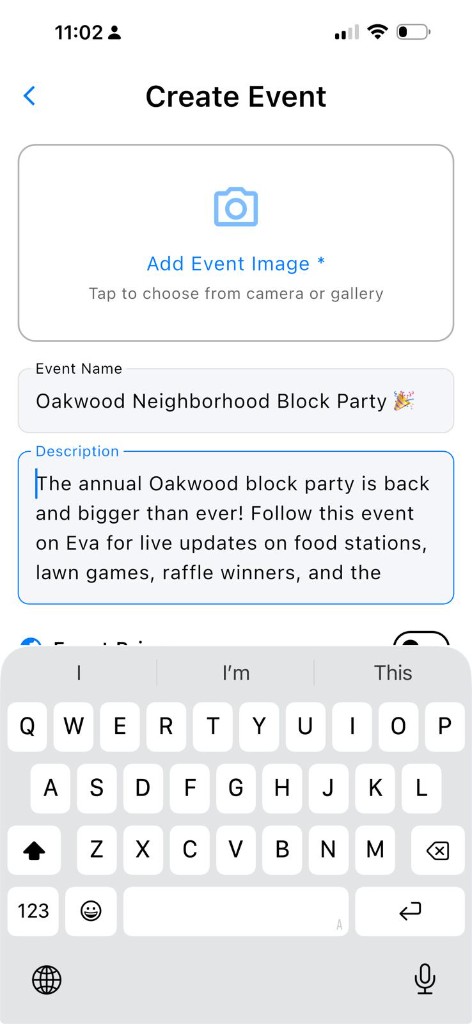
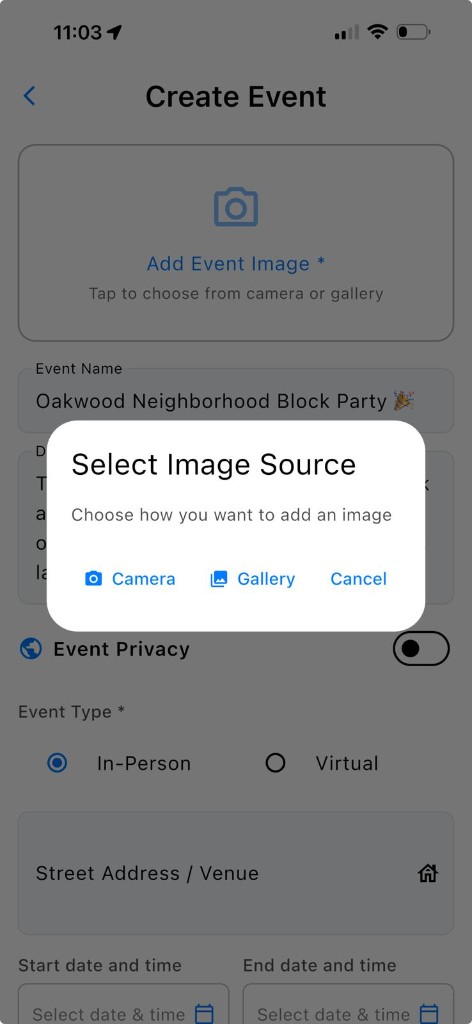
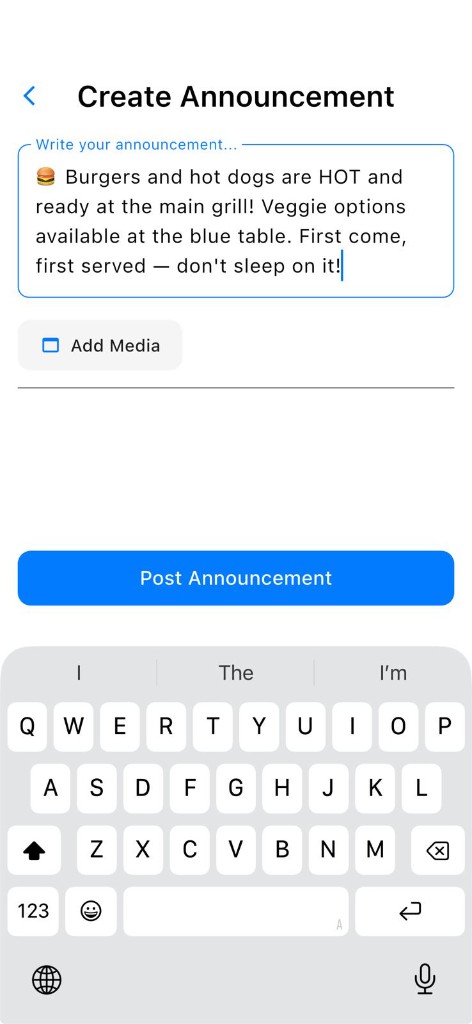
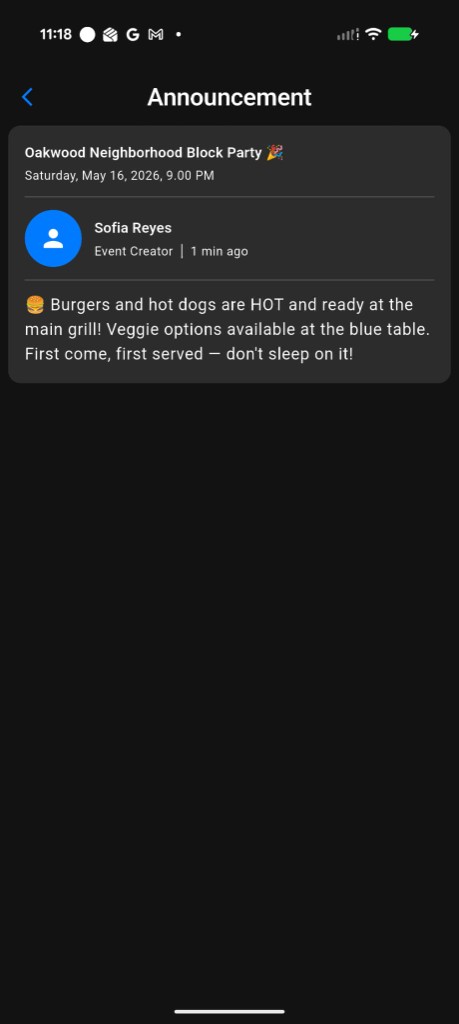
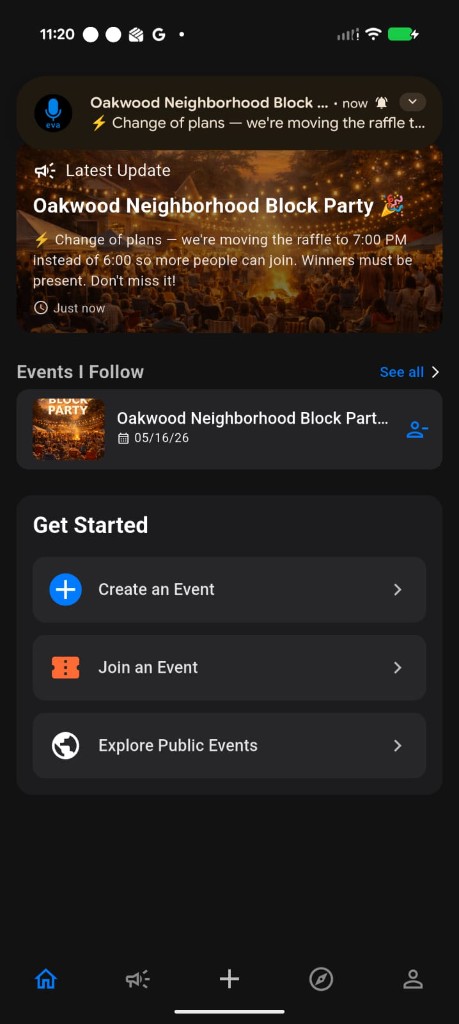
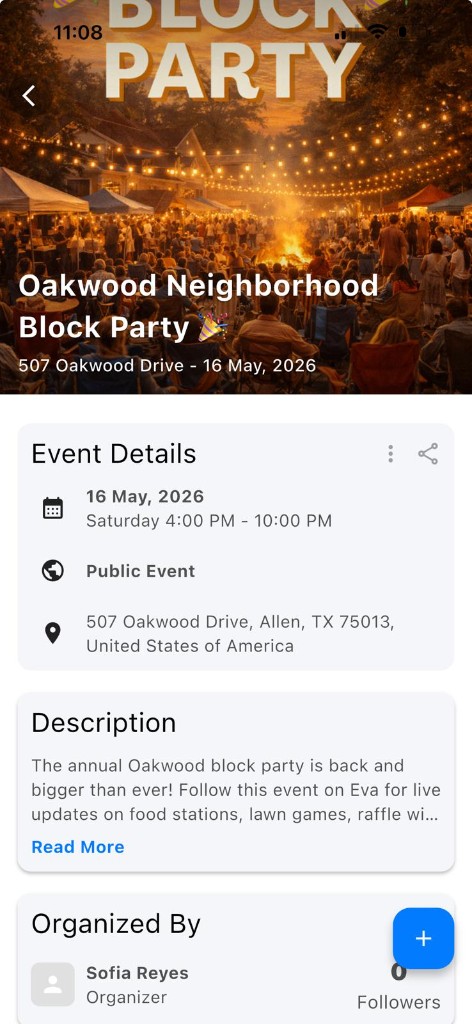
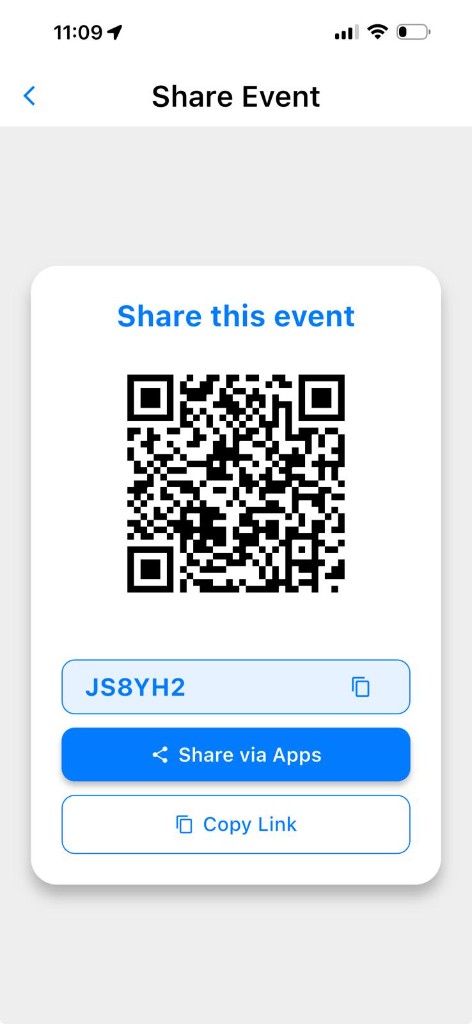
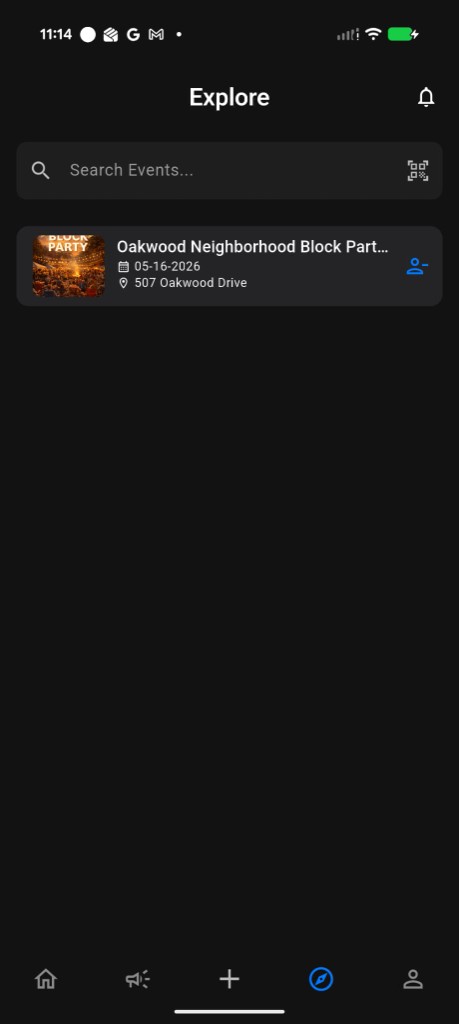
These screenshots show the native apps: follow an event, read announcements, and get push notifications when you are on site. For RSVP exports, manager email invites, private approvals, and the full program editor, use the Home on the web—it is ahead of mobile today.
Create
Customize
Announce
Follow along
Notify
Hub
Share
Discover
FAQ
Straight answers on where to sign up, how followers join, and why organizers should plan from the browser first.